Losing important SMS messages on your Android device can be frustrating. Whether you accidentally deleted a text or need to retrieve crucial information, there’s no need to panic. This guide will walk you through simple ways to recover deleted SMS on Android phones. Keep reading to discover how you can restore your lost texts with ease!

Method 1: Check the Recycle Bin or Trash in Your Messaging App
If you’ve recently deleted a message, there’s a good chance it’s still sitting in your messaging app’s Recycle Bin or Trash folder. Many popular messaging apps like Google Messages and Samsung Messages offer this feature to help you recover deleted texts.
For Google Messages:
- Open the app
- Tap the three-dot menu in the top right
- Choose "Spam & blocked" (or Archive)
- Tap "Recently Deleted"
- Select the messages you want to recover and hit "Recover"
For Samsung Messages:
- Open the app
- Tap the three-dot menu
- Select "Trash"
- Press and hold the message you want to recover
- Tap "Restore"
This is often the quickest and easiest way to restore your deleted texts. If you don’t see the option, make sure your app is up to date.
Method 2: Restore from Google or Samsung Cloud Backup
If you can’t find your deleted messages in the Trash or Recycle Bin, don’t worry—there’s still a chance to recover them from a cloud backup. Here’s how to restore your deleted SMS from a Google or Samsung Cloud backup:
Check if You Have a Backup
Before doing anything, make sure that your SMS messages were backed up:
- For Google Backup: Go to Settings > Google > Backup and check if your SMS messages were included in your most recent backup.
- For Samsung Backup: Head to Settings > Accounts and backup and make sure your SMS was backed up to Samsung Cloud.
Perform a Factory Reset
If you do have a backup, you’ll need to perform a factory reset to restore your messages:
Go to Settings > System > Reset options > Erase all data (factory reset).
Restore Your Backup
During the setup process, choose the option to restore your Google or Samsung backup. Keep in mind that restoring from a backup will erase all the data that was added after the last backup, so be cautious.

Method 3: Use Notification History to View Recently Deleted Messages
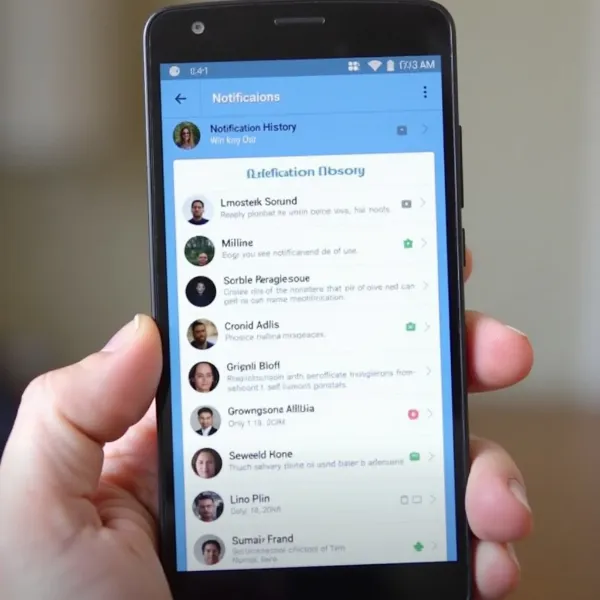
Did you know that you can sometimes recover deleted messages by checking your Notification History? Android keeps a record of all notifications you receive, including SMS alerts, which can help you recover recently deleted messages.
How to Enable Notification History
- Go to Settings > Notifications > Advanced settings > Notification history.
- Turn on Notification History to start tracking your notifications.
- After enabling this, you can view your notifications, including some that might have been deleted.
This method works best for recently deleted texts, so it won’t be helpful if the messages were deleted a while ago.
Method 4: Use Third-Party Data Recovery Tools to Recover Permanently Deleted SMS
If your messages are permanently deleted and not available in your Trash or cloud backup, third-party data recovery tools may be your best bet. There are several reliable software options available, such as Dr.Fone, FonePaw, and EaseUS. These tools can scan your device’s storage for deleted data and recover lost SMS messages.
However, it’s important to note that these tools often come with a cost, and their effectiveness can vary. Some may not be able to recover your messages, or they might take a long time to do so.
Before using any tool, make sure it’s from a reputable source. Some tools can be harmful to your device. Also, when you delete a message, it’s not actually wiped from your phone—it’s just marked as "deleted." The more you use your phone, the higher the chance that new data will overwrite the deleted messages, making recovery harder. To maximize your chances of success, stop using your phone immediately once you realize your messages are gone.
Conclusion
Losing important text messages on your Android device can be stressful, but there are multiple ways to recover them. Whether you use the Recycle Bin in your messaging app, restore from a cloud backup, check your notification history, or rely on third-party recovery tools, there are plenty of options to get your messages back.
Just remember to act quickly to prevent your deleted data from being overwritten, and always choose reliable recovery tools to avoid risks. No matter which method you choose, you can successfully recover your deleted SMS in Android with a bit of patience and the right approach.